
Once your school’s photography day has been confirmed, we will create a dedicated folder where you can securely upload any files related to your school photography job.
Each job has a unique link and bucket ID, keeping your information safe within the SchoolPix system. We will send you a unique link to access the upload feature directly.
Once you have accessed the upload page, you can drag and drop files to upload them, or manually select them using the “Choose Files” button.
Files that have been uploaded will appear at the bottom of the page. There are controls for deleting an individual file or a selection of files. Any images uploaded (e.g. JPGs, PNGs) will also render a thumbnail with the file name.
Once your files have been uploaded, we will receive a notification to review them.
FAQs
What do I do if my link isn’t working?
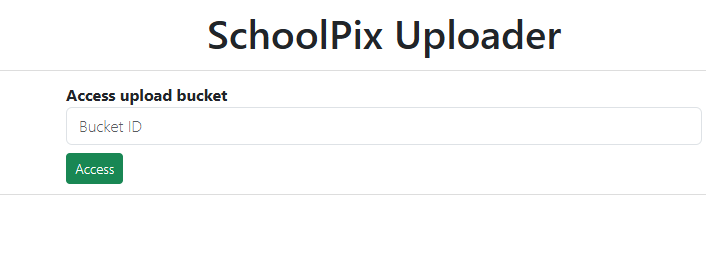
You can access the upload buckets via the address: http://submit.schoolpix.com.au/
From this page, you can manually enter your bucket ID. Your school’s unique ID is a complex 32-character string, so if you would prefer to access your upload folder via the link, please contact us for assistance.
What can I do if I accidentally upload the wrong file?
You can view all previously uploaded files on the upload page. Locate the incorrect file and delete it, then upload the correct file.